
Throw a Seed Roblox: Codes, Training and Garden Guide
Learn Throw a Seed Roblox with six codes, pull-up training tips, seed upgrades, and garden advice to throw farther, boost luck, and earn cash offline.
Jump to
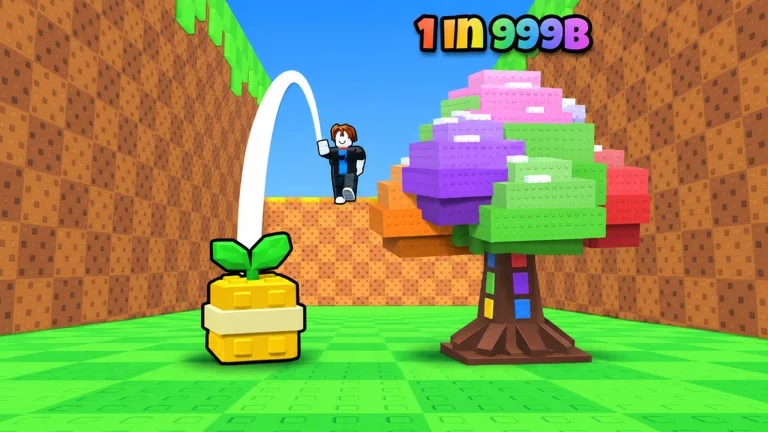
How to Play Throw a Seed
A longer throw gives your next plant a luckier start. In Throw a Seed Roblox, training your arms and timing your launch help you reach more zones, increasing your chances of an exciting plant. Build a garden alongside that training so your collection keeps earning cash while you’re offline.
Start with Throw a Seed by Fish Time Studios on Roblox. Check the developer name before joining: another experience with a similar name uses bench barbells and a different progression system. This guide covers the pull-up training game, place ID 129081220403721.
The basic loop works like this:
- Do pull-ups to increase your strength.
- Time your tap to launch a seed down the canyon.
- Collect the plant that appears where the seed lands.
- Place plants in your garden to generate cash.
- Choose your next upgrade: a better pull-up bar, a luckier seed, or more garden space.
Your collection goals include:
- 15 zones, stretching from Meadow to Starlight Glade.
- 75+ plants across 10 rarities, ranging from Common to Secret.
- Huge sizes and rare mutations to discover.
Train Your Strength and Improve Your Throws
Pull-ups increase strength, helping your seed travel farther. Pull-up bar progression includes Wood through Diamond, with upgraded bars supporting your training.
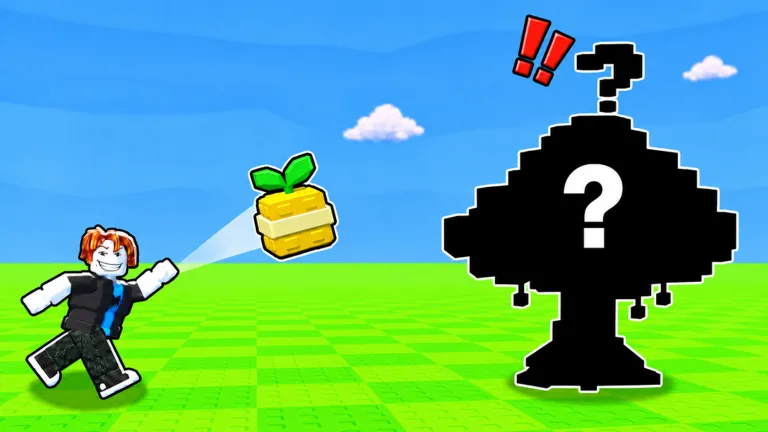 Image: Roblox / Fish Time Studios
The throw itself also requires timing. Watch the on-screen meter and tap prompt, then practice keeping your timing consistent across several launches. Compare throws with the same seed and similar training progress so you can focus on the timing cue.
Work on strength when distance is holding you back. Each zone your seed passes increases the throw’s luck, so reaching farther also helps your plant hunt.
Keep these goals separate while choosing upgrades:
- More strength: train with pull-ups and upgrade your bar.
- Better timing: practice the launch prompt.
- More luck: reach farther zones and buy better seeds.
A rare plant is still a random result. Judge your throwing progress by distance and zones reached rather than expecting the same plant from repeated launches.
Choose Seeds for More Luck
Better seeds increase luck on your throws. They work alongside the luck gained from crossing canyon zones, giving you another way to improve your collection chances.
Compare the luck bonus and price displayed in the seed shop before spending. If you’re struggling to reach farther zones, return to training. If you’re happy with your distance and want to focus on rarer plants, look at seed upgrades.
The Rainbow Seed game pass gives x10 luck on every throw. Double Luck provides another permanent luck bonus and stacks with seeds and luck potions. Keep those effects distinct from training: strength helps distance, while seed bonuses affect luck.
Build Your Garden and Fill the Index
Plants placed in your garden generate cash, including while you’re offline. Put collected plants to work before leaving, and expand the garden when you need room for more.
Garden space and throwing power solve different problems. Check expansion options when a full garden is limiting how many plants you can place. Train when your next goal is a farther throw.
For PC placement, the controls include:
- Click to choose a plant’s position.
- R to rotate it.
- Q to store it.
Follow the prompts on your device when arranging plants.
The Index tracks your collection and includes 110 entries, with a Royal Pack category. Keep checking it as you collect plants, Huge variants, and mutations. Use missing entries as collection goals while continuing to develop your garden’s income.
Free gifts and daily rewards are also available, so claim those alongside your regular training and throwing sessions.
Throw a Seed Codes and How to Redeem Them
These six codes provide cash, luck items, and boosts:
| Code | Rewards |
|---|---|
CANDY | 1 Training Boost and 1 Lucky Throw |
1KFAVORITES | 1 Money Boost and 1 Lucky Throw |
UPDATE | 1 Mega Luck Potion and 1 Lucky Throw |
HYPE | 1 Money Boost and 1 Lucky Throw |
TIKTOK | 1 Mega Luck Potion and 1 Lucky Throw |
RELEASE | 5,000 Cash and 1 Luck Potion |
To redeem a code:
- Click the Gear icon in the top-left corner.
- Scroll to the bottom of Settings.
- Enter a code in the Enter code field.
- Click REDEEM.
Enter each code exactly as written, including capitalization. Codes can expire, so redeem the available ones before planning around their rewards.
Together, these codes offer 5 Lucky Throws, 2 Mega Luck Potions, 1 Luck Potion, 2 Money Boosts, 1 Training Boost, and 5,000 Cash.
Use the Training Boost for a pull-up session. Pair your luck items with throws after working on your distance so those throws can benefit from reaching more zones.
Game Pass Prices and Effects
If you’re considering a purchase, compare the exact effect with the part of the game you want to develop.
| Game Pass | Price | Effect |
|---|---|---|
| Rainbow Seed | 799 Robux | Unlocks the Rainbow Seed with x10 luck on every throw |
| Double Luck | 249 Robux | Doubles throw luck permanently; stacks with seeds and luck potions |
| Strong Arms | 149 Robux | Gives 2x XP from every pull-up |
| Double Money | 199 Robux | Doubles plant income, including offline earnings |
| VIP | 99 Robux | Adds +25% plant income and a gold VIP tag |
| Big Garden | 79 Robux | Adds +10 garden slots on top of purchased slots |
Match the purchase to your goal: compare Strong Arms for training XP, the luck passes for plant hunting, and the garden passes for income or capacity. Before buying extra space, check how many plants you’re ready to place; before buying a luck bonus, read how it combines with your current seed and potions.
Continue with
 Throw a Seed Beginner Guide: Train, Throw, and GrowUse this Throw a Seed beginner guide to train strength, time canyon throws, improve seed luck, redeem codes, and build a garden that earns cash offline.
More in Guide
See all Guide
Continue exploring
Join the community
Official channels for news, updates and player help: