
Throw a Seed Beginner Guide: Train, Throw, and Grow
Use this Throw a Seed beginner guide to train strength, time canyon throws, improve seed luck, redeem codes, and build a garden that earns cash offline.
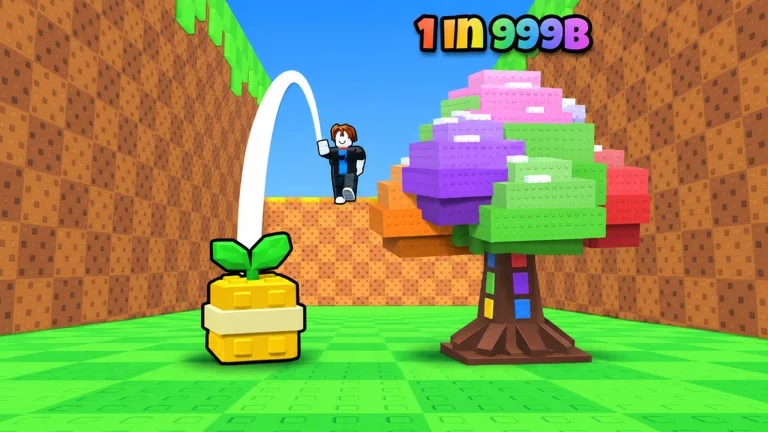
Start With Strength, Throws, and Garden Income
Longer throws improve your luck, while garden plants keep cash coming in between sessions. This Throw a Seed beginner guide walks you through training, timed throws, and upgrades so each part of the loop supports the next. Get plants earning money early, then work toward longer flights and rarer discoveries.
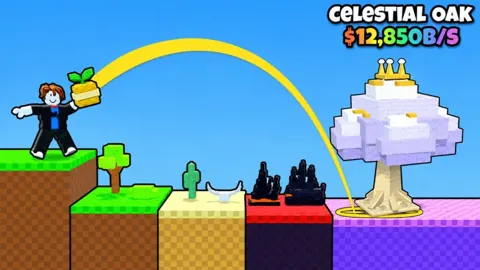
You can play Throw a Seed on Roblox. Your basic routine is to do pull-ups, throw a seed down the canyon, collect the plant that appears, and place it in your garden.
1. Train before chasing distant zones
Pull-ups increase your strength, helping you throw farther. Bar upgrades take you from Wood toward Diamond as you progress.
Alternate training with throwing instead of spending your entire session on one activity. Throwing gives you plants to put to work, while training helps your next attempts reach farther into the canyon.
Keep these upgrades separate in your spending decisions:
- Pull-up bars: Support your strength progression and longer throws.
- Better seeds: Increase throw luck.
- Garden expansion: Creates room for more plants.
If distance is holding you back, work on strength and timing. If space is the problem, look at garden expansion.
Throw Farther to Increase Luck
 Image: Roblox / Fish Time Studios
2. Practice the timing cue
Launching a seed requires a well-timed tap. Watch the throwing meter and practice responding to its cue across several attempts.
Compare throws using the same seed and a similar training level to get a clearer feel for your timing. Changing several things between attempts makes it harder to tell which adjustment helped.
When the seed lands, a fully grown plant appears. You can then take that plant into the garden part of your progression.
3. Use distance and seed upgrades together
The canyon has 15 zones, stretching from Meadow toward Starlight Glade. Every zone your seed passes increases that throw’s luck, and better seeds provide additional luck.
Build strength to cross more zones, then consider a seed upgrade when you want to improve your chances further. These systems support different parts of the same throw: strength helps with distance, while seed choice affects luck.
Keep collecting even when a throw produces a common plant. Greater luck improves your chances; it does not guarantee a particular discovery.
Build a Garden That Earns While You’re Away
4. Put plants into available garden slots
Plants placed in your garden generate cash, including while you are offline. Fill available slots before logging out so your collection can keep earning during the break.
Expand the garden when you need room for more plants. Extra capacity lets you place additional earners instead of leaving those spaces unavailable.
On PC, placement controls include:
- Click: Choose where the plant goes.
- R: Rotate the plant.
- Q: Store the plant.
Follow the prompts displayed on your device when placing or moving plants.
5. Match boosts to the activity you’re doing
Use a Training Boost when you are ready to spend time doing pull-ups. Save luck items for a throwing session after you have improved your reach, so those attempts also benefit from crossing more zones.
Use Money Boosts with plants already earning in your garden. Give the boost an income base to work with before activating it.
Claim free gifts and daily rewards alongside your regular training and throwing routine.
Redeem Codes for Cash and Boosts
6. Collect the available code rewards
These codes provide starting cash and items for training, throwing, and garden income. Enter them exactly as written; codes can expire.
| Code | Rewards |
|---|---|
| RELEASE | 5,000 cash and 1 Luck Potion |
| TIKTOK | 1 Mega Luck Potion and 1 Lucky Throw |
| UPDATE | 1 Mega Luck Potion and 1 Lucky Throw |
| HYPE | 1 Money Boost and 1 Lucky Throw |
| 1KFAVORITES | 1 Money Boost and 1 Lucky Throw |
| CANDY | 1 Training Boost and 1 Lucky Throw |
To redeem a code:
- Open the gear menu in the upper-left corner.
- Scroll to the bottom of Settings.
- Type a code into the Enter code field.
- Select REDEEM.
Plan your next activity around the reward you want to use. For example, redeeming CANDY gives you a Training Boost to use during pull-ups and a Lucky Throw for a later attempt.
Understand Paid Upgrades Before Spending Robux
7. Compare each pass with your current goal
Game passes affect different systems. Read the effect before buying, especially when choosing between faster training, more luck, and garden income.
| Game Pass | Price | Effect |
|---|---|---|
| Rainbow Seed | 799 Robux | Unlocks the Rainbow Seed, giving x10 luck on every throw with it |
| Double Luck | 249 Robux | Doubles throw luck permanently; stacks with your seed and luck potions |
| Strong Arms | 149 Robux | Gives 2x XP from every pull-up |
| Double Money | 199 Robux | Doubles plant earnings, including offline earnings |
| VIP | 99 Robux | Adds +25% money from all plants and a gold VIP tag |
| Big Garden | 79 Robux | Adds +10 garden slots on top of purchased slots |
Identify what is limiting your progress before spending. If your garden needs more room, compare the garden expansion options. If your goal is faster strength training, read the pull-up XP benefit rather than choosing a luck pass for that purpose.
Use the Index to Track Your Collection
8. Pursue new plants alongside your income goals
There are more than 75 plants across 10 rarities, ranging from Common to Secret. Plants can also have Huge sizes and rare mutations.
Use the Index to track your collection and choose discoveries to pursue. Keep collection goals alongside practical upgrades: a missing plant gives you something to chase while training, seed purchases, and garden expansion continue moving your account forward.
Avoid spending every boost on the hope of one Secret. Build your throwing distance and garden income first, then use your luck items during the stronger throwing sessions those upgrades make possible.
Continue with
 Throw a Seed Controls: How to Throw and Place PlantsLearn Throw a Seed controls for timed throws, pull-up training, and garden placement. Use PC shortcuts to rotate, store, and pick up plants as you play.
More in Guide
See all Guide
Continue exploring
Throw a Seed Game Passes: Prices and Boosts Explained
Compare Throw a Seed game passes, including Robux prices, luck multipliers, money boosts, and extra garden slots. Find the upgrades that fit your goals.
Throw a Seed Garden Guide: Slots, Cash, and Upgrades
Use this Throw a Seed garden guide to earn offline cash, expand plant slots, improve canyon throws, and understand money boosts before your next upgrade.
Join the community
Official channels for news, updates and player help: